Wireframes for specs
Sketch it. Your AI builds it.
A fast wireframe and storyboard tool for writing specs. Sketch with mouse, touch or pen, or type an outline; rough input becomes clean, labelled screens. Connect your AI over MCP and it drafts screens, reads your notes and acts on them.
Download
One file, on your machine. Nothing is sent anywhere: the bridge listens on 127.0.0.1 only and your boards are files in ~/.axsquiggle/.
| File | What it is | Needs |
|---|---|---|
| axsquiggle.mjs | The app plus the AI bridge (MCP). Run it and the app opens already connected. | Node 18+. No npm install. |
| axsquiggle.html | Just the app, one file, works offline. | Nothing: double-click it. |
| how-to.html | The animated guide. | Nothing. |
All files, checksums and notes: the Releases page.
Up and running in a minute
- Download
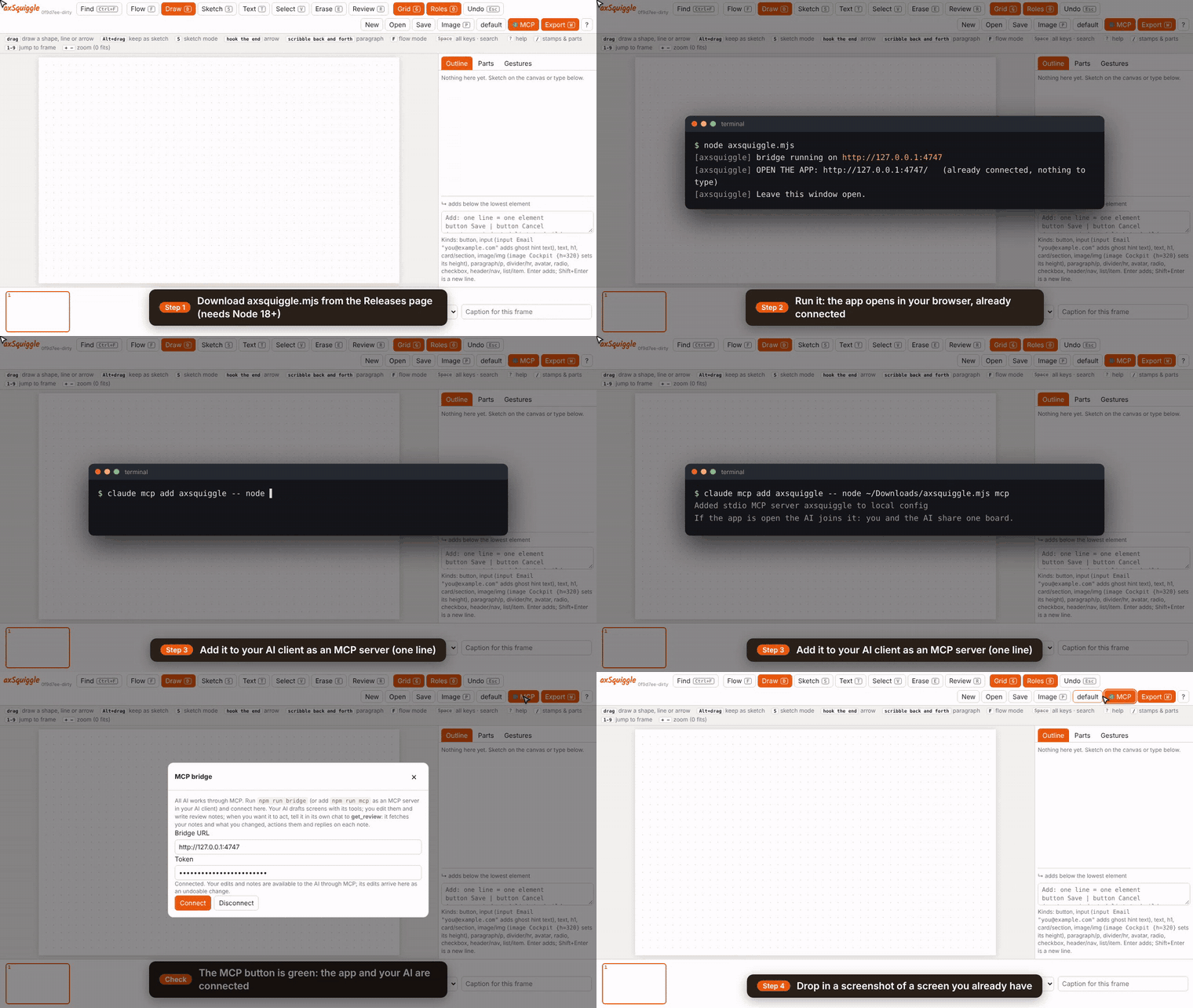
axsquiggle.mjs, then runnode axsquiggle.mjs. The app opens in your browser, already connected. - Add it to your AI client (use the real path to the file):
claude mcp add axsquiggle -- node /path/to/axsquiggle.mjs mcp
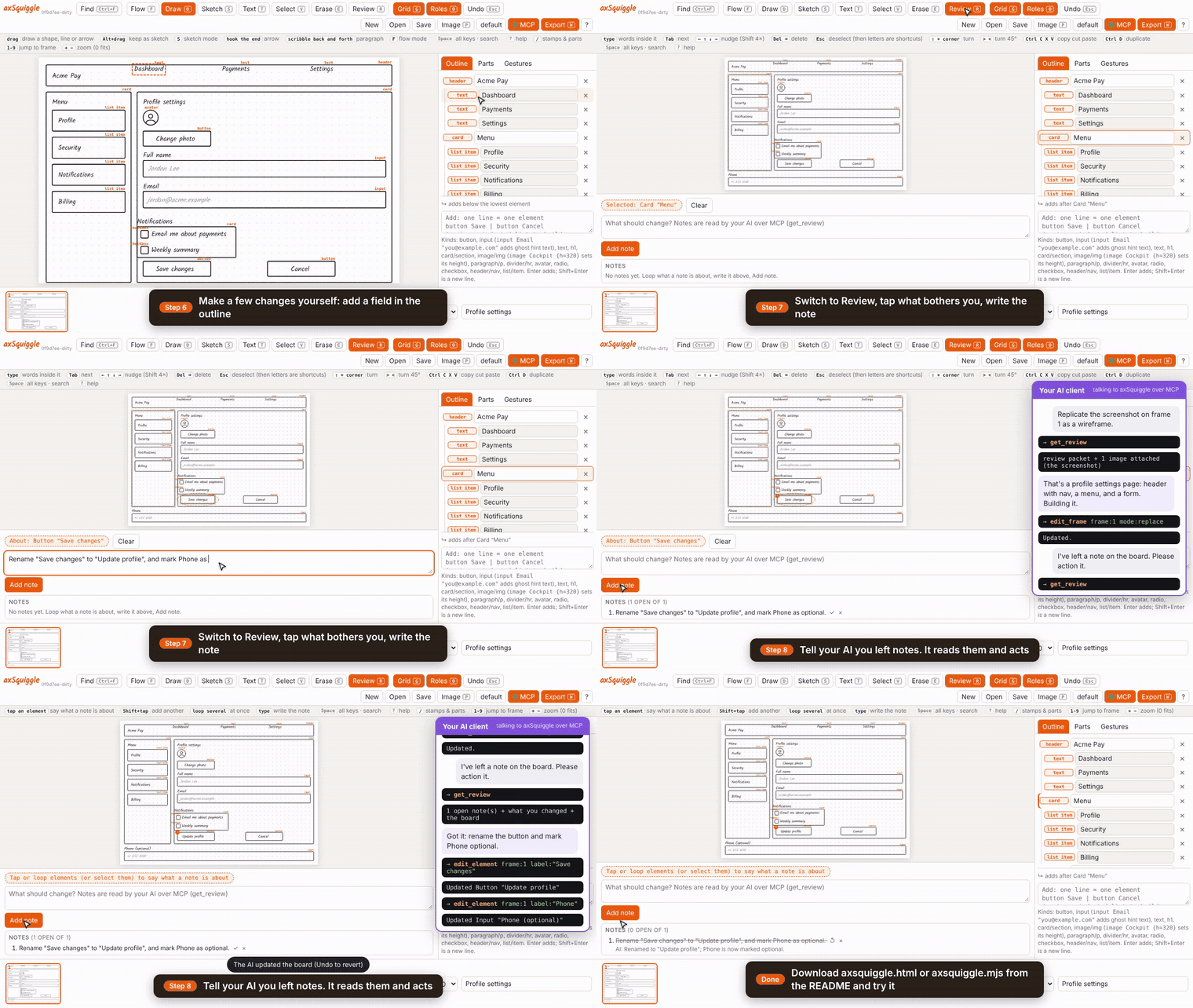
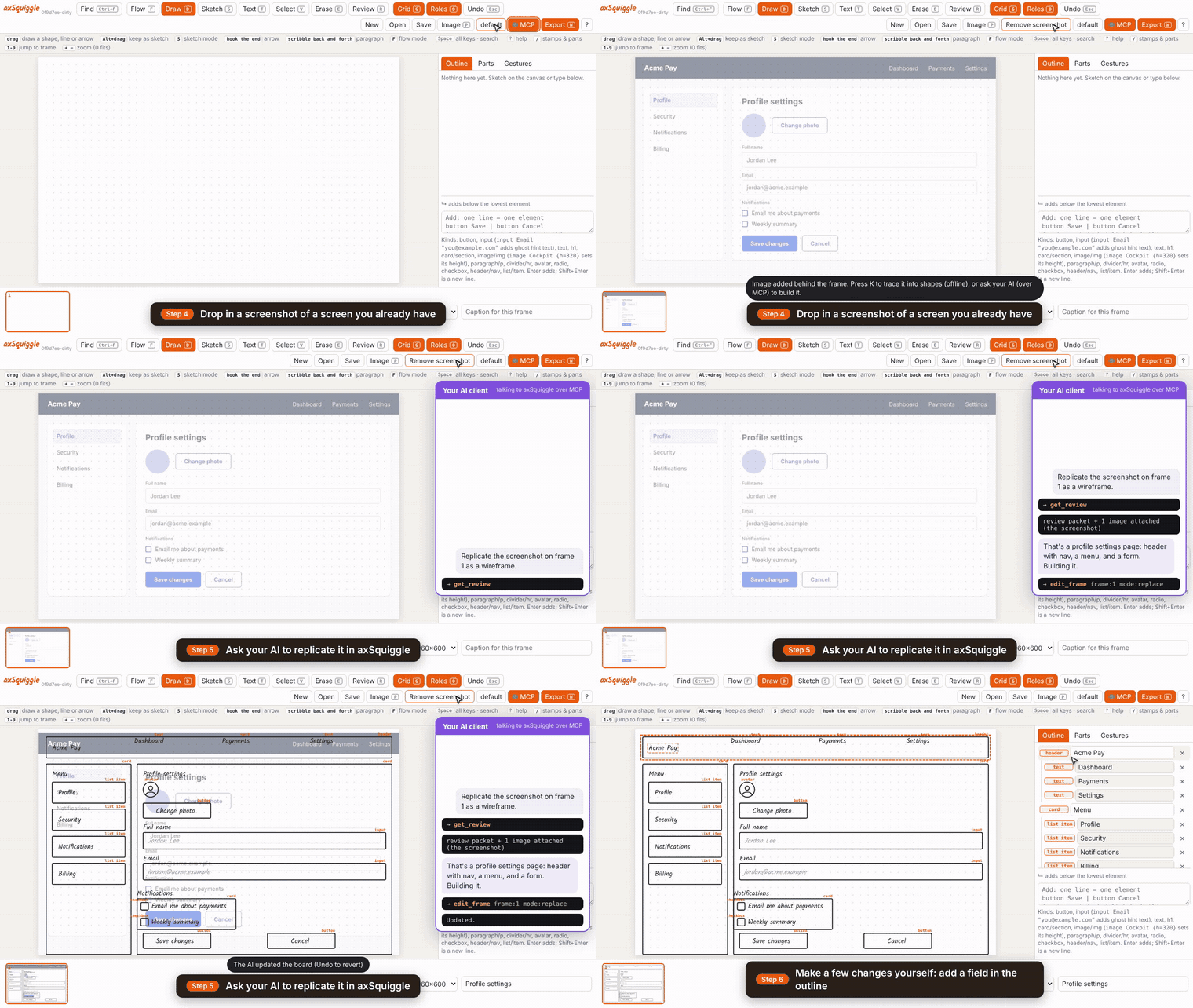
- Drop in a screenshot of a screen you already have and ask your AI to replicate it. Change it, leave a note, tell your AI: it acts and replies on the note.
1. Download and connect
The app opens connected: the MCP button goes green and your AI joins the same board.
2. Replicate a screen
Drop in a screenshot; your AI rebuilds it as a wireframe.
3. Change it, send it back
Edit, leave a note on what bothers you, tell your AI. It acts and replies on the note.